Understand your generated report
When the status tag flips to Completed, TerrAssist has turned your audio notes into a structured report. Here's what you're looking at.
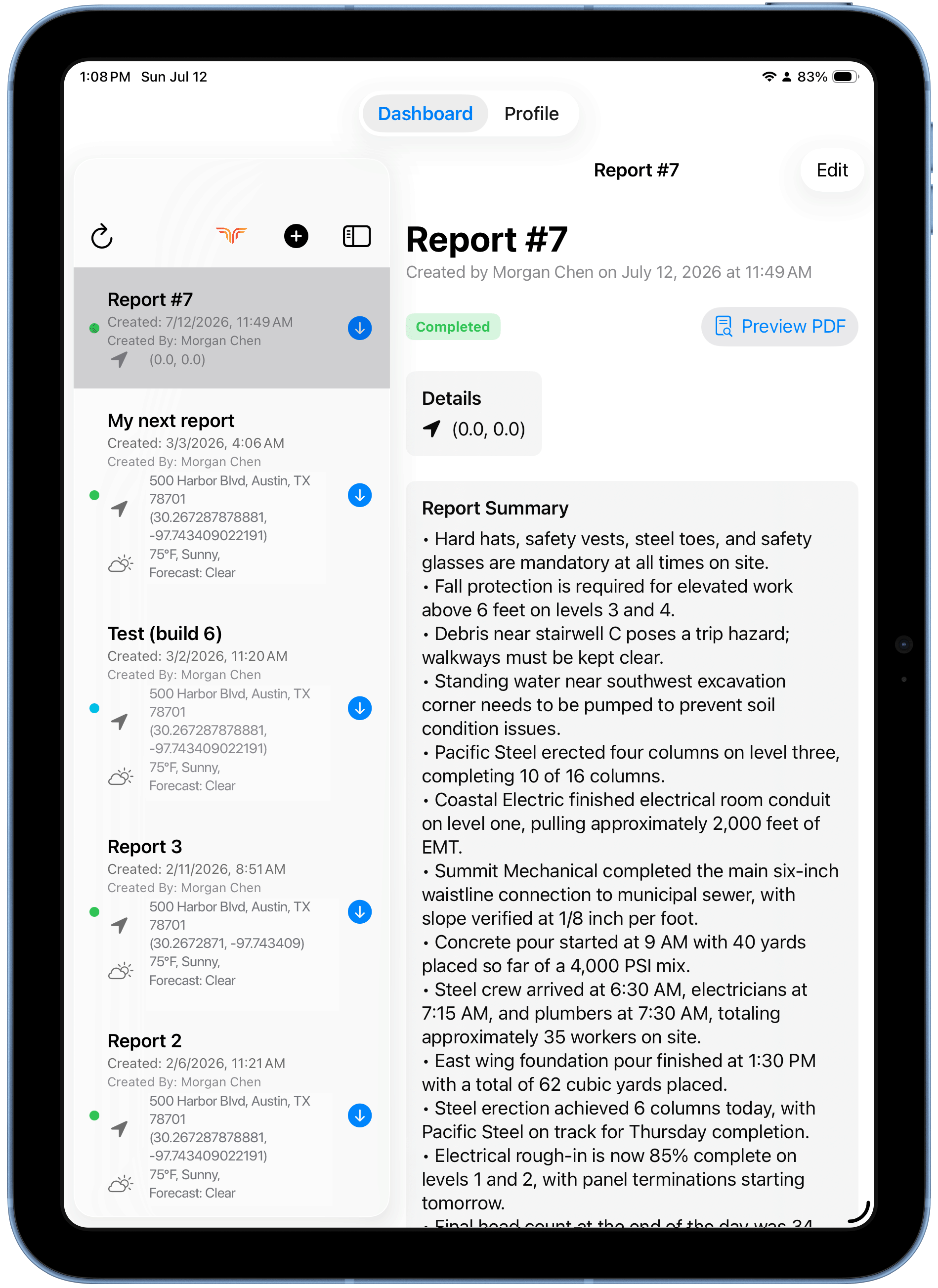
Report header
- Title, creator, and creation date/time.
- Status tag (e.g. Completed).
- Preview PDF button — the final shareable document.
Details
Location (address + GPS coordinates) and weather, as captured when you created the report.
Report Summary
Bullet-point narrative built from your five audio sections — safety issues, work completed, equipment and crew activity, materials, and progress. This is why specific, complete audio matters.
Incidents
Incidents mentioned in your audio are extracted into their own cards, each with a severity (e.g. MEDIUM, HIGH), a status (e.g. OPEN), and a category (e.g. Safety).
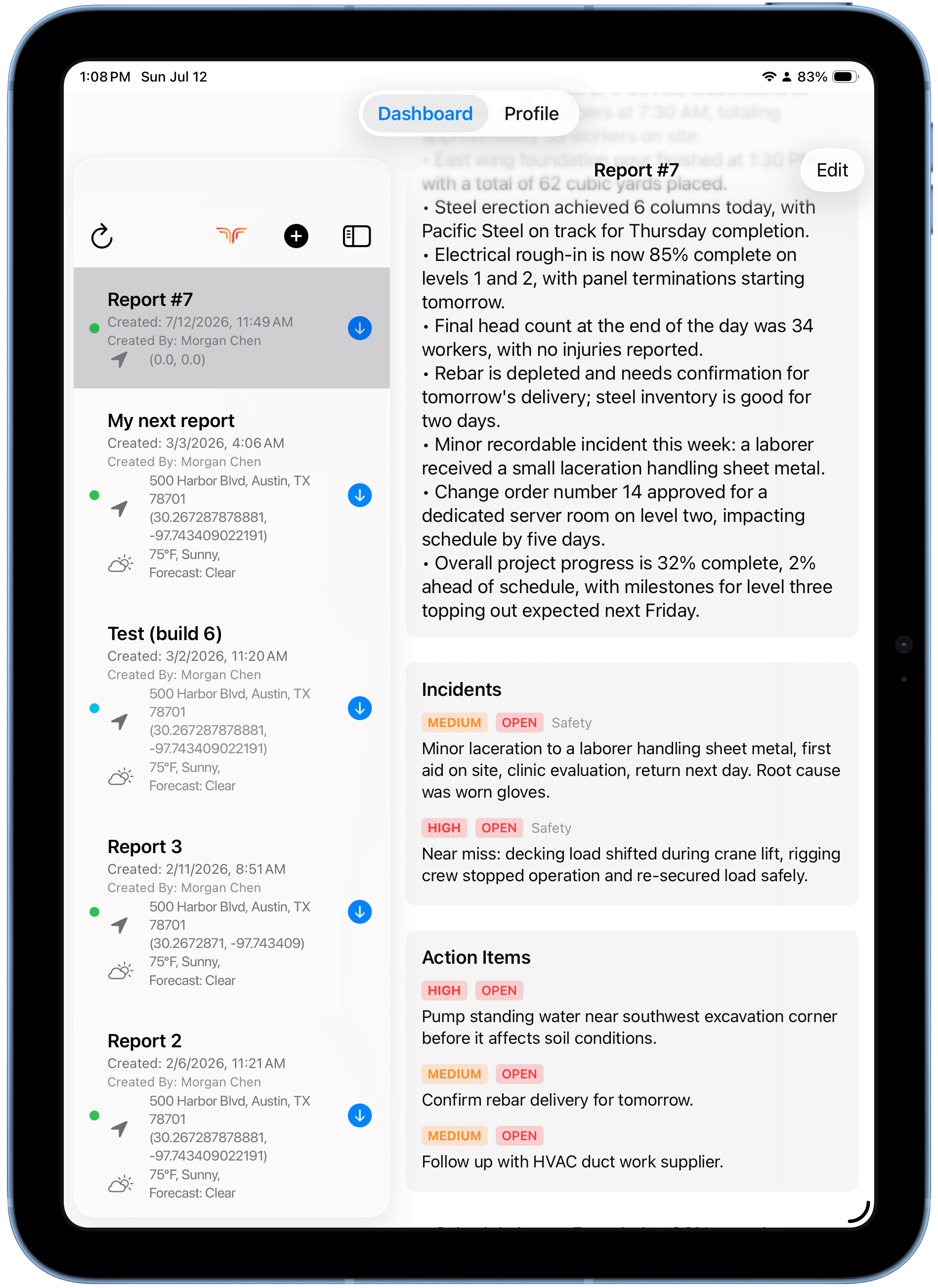
Action Items
Follow-ups pulled from your notes, each with a priority tag — e.g. pump standing water, confirm a delivery, chase a supplier.
Something missing or wrong?
The report reflects what was said in the audio. If a key detail is missing, it likely wasn't in the recording — mention it explicitly next time.